BACKGROUND BLUR
Blur Video Background
Portrait mode for video: the subject stays sharp, the background loses its detail, and the blur intensity is yours to set. Our AI model on GPU servers finds the subject in every frame.
- ✓ Try without signup
- ✓ No watermark
- ✓ GPU-powered
Drop a video, or choose a file
Your file is uploaded securely to our servers for processing.
Choose a file MP4, WebM or MOV · up to 5 minutes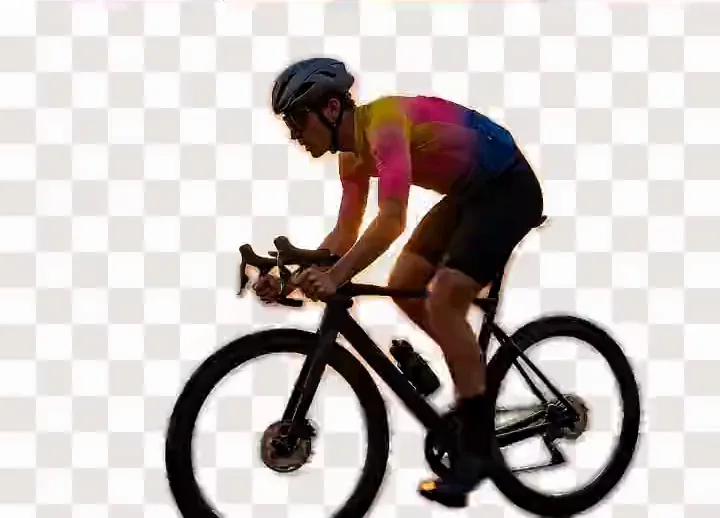



Drag to compare: the original on the left, the background removed on the right, shown against a transparency checkerboard.
Background
No signup
To try it
5min
Longest clip
1
Slider — blur radius
MP4
Video export
GPU
Where the mask is made
Portrait Mode, One Frame at a Time
Background blur reduces the sharpness of everything behind the subject, which stays in focus. It retains the original background at reduced sharpness, where removal discards it entirely. Strength is a blur radius in pixels.
| Backdrop | Room kept | Edge tolerance |
|---|---|---|
| Blur it | ✓ | Very forgiving |
| Replace the background | ✗ | Needs a clean matte |
| Key it green | ✗ | Needs an even backdrop |
On a phone this effect is called portrait mode. Blurring a video background is portrait mode on every frame, the depth map replaced by a segmentation mask.
How the Blur Is Produced
A segmentation mask is a greyscale image marking which pixels are subject and which are background. The background layer is blurred and the sharp subject recomposited on top. Mask resolution, not blur strength, decides how convincing the edges look.
The blur is gaussian: each pixel becomes a weighted average of its neighbours, and the radius sets how many. It is not bokeh, the shape a lens gives out-of-focus highlights. How the mask is computed explains the model.
How Much Blur to Use
What you adjust is the radius. Move it while watching the subject: too much blur shows as a halo where the mask edge stops matching the shoulders.
| Strength (intensity, level, softness) | Reads as | Use it for |
|---|---|---|
| Light | Shallow depth of field | A busy but harmless room |
| Medium | Shapes survive, text does not | Calls, webinars, social media |
| Heavy | A field of colour | A whiteboard or a document |
| Maximum | No recoverable detail | Anything you would reshoot |
Blurring Something You Need Hidden
Most people search for this to hide something: a home address, a whiteboard roadmap, a bystander's face, a licence plate. Know where the footage goes before you rely on the slider.
Most blur tools
- You upload the clip you want hidden
- Uploaded
- Blurred on a server
- Sent back
- You download it — often watermarked
bgremover.ai
- You drag and drop the clip
- Uploaded to our GPU servers for the mask
- Blur applied in your browser
- Not stored
- You save it — no watermark added
- Blur obfuscates, it does not encryptLight settings over large text stay legible.
- A moving subject driftsNo tool covers every frame.
- Crop where you canHeaviest setting, then check the file.
Why Blur Is More Forgiving Than Removal
A soft mask edge is far less visible against a blurred background than against a replacement scene. Blur and subject share the same lighting, colour temperature and grain — they are the same footage. A stock office shares none, so every flaw in the matte reads as a cut-out.
Blur also keeps context removal throws away: a product on a shelf, a bookcase.
- GuideVideo call workflow Re-backgrounding later. Open →
- ChromaGreen screen remover When chroma key wins. Open →
- StillPhoto background remover PNG alpha for stills. Open →
- AlphaTransparent video Alpha formats. Open →
Frequently Asked Questions
How Do I Blur the Background in a Video?
Drop an MP4, MOV or WebM into the tool, choose the blur option, and raise the blur intensity until the detail disappears. The subject stays sharp. Export is MP4, or WebM in browsers that cannot write MP4.
How Is Background Blur Different From Background Removal?
Blur retains the original background at reduced sharpness. Removal discards it and substitutes a photo scene, a solid background color or a green screen. A soft edge hides better against your own blurred room.
Is the Video Background Blur Free?
Yes — no account, no daily cap, and the download is free too. There is no credit meter; clips are processed at up to 1280 pixels on the long side. Competitors cap free blur at 720p.
Can I Adjust the Blur Intensity?
Yes. The slider sets the gaussian radius, from a light shallow depth-of-field effect to a background with no recoverable detail. Adjust it while watching the subject's outline, where blur first shows.
Will the Person Stay Sharp?
Yes. The segmentation mask separates subject from background before the blur is applied, so only the background layer is softened and the subject is recomposited on top at full sharpness.
Does Blurring Reduce Video Quality?
The subject keeps its original detail, and the background loses detail by design. The export is re-encoded at up to 1280 pixels on the long side, which introduces a small generational loss, as any export does. Frame rate is unchanged.
Does Blurring Guarantee Anonymisation?
No, and no tool should claim it does. Blur is obfuscation: a light setting over large text or a close face can still be legible, and a subject can drift outside the mask.
Can I Blur a Video Background on a Phone?
Yes, in a recent mobile browser, so no app install is needed. The mask is made on our GPU servers, but your phone still prepares the upload and builds the export, so long clips take more time than on a desktop.
Remove a Background Now
Try it without signing up. Your file is processed on our GPU servers and never stored.