CHROMA KEY
Free Green Screen Remover
Key a real green screen in your browser, with the tolerance, feather and despill controls that decide whether an edge reads clean. Every frame is processed on our GPU servers.
- ✓ Try without signup
- ✓ No watermark
- ✓ GPU-powered
Drop a video, or choose a file
Your file is uploaded securely to our servers for processing.
Choose a file MP4, WebM or MOV · up to 5 minutes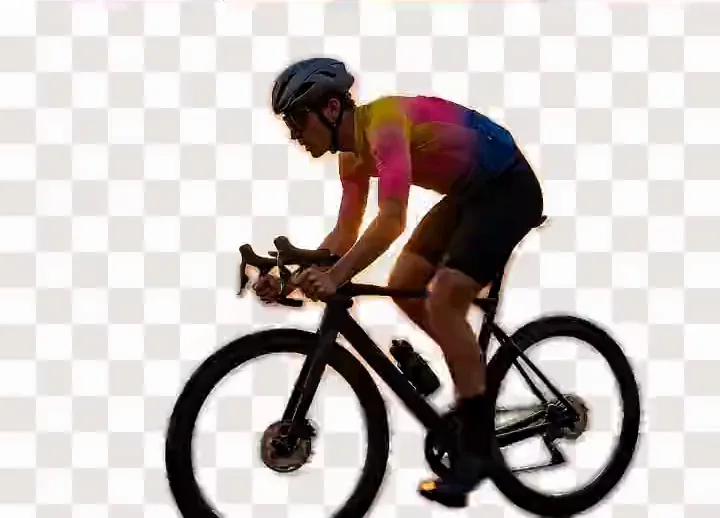



Drag to compare: the original on the left, the background removed on the right, shown against a transparency checkerboard.
Background
5
Key controls
No signup
To try it
5min
Longest video
MP4
Video export
GPU
Where it runs
What a Green Screen Remover Does
A green screen remover separates a subject from a single-coloured backdrop and replaces it with a scene, a fill, or nothing. It compares each pixel against a nominated colour and builds a matte of foreground, background and partial pixels.
A chroma key works per pixel and per frame, so it never guesses at a person's shape. Five controls set precision; most tools hide them behind one slider.
| Control | Does | Get it wrong |
|---|---|---|
| Key colour | Sampled near the subject | Corner shades mislead |
| Tolerance | Allowed drift from the key colour | Low leaves patches, high eats hair |
| Softness (feather) | Width of the transition band | Hard mattes show on hair |
| Edge blur | Blurs the matte, not the image | Stair-stepping survives |
| Despill | Removes bounced green light | A green rim survives |
Browser keying often omits despill. How the matte is computed covers compositing.
Remove a Green Screen From Video
-
Drag and drop
MP4, MOV or WebM, up to 5 minutes. It uploads in segments, so processing starts straight away.
-
Sample, then tune
Key colour near the subject, tolerance only as high as needed, a pixel of feather so hair does not read as cut paper, then despill. The preview is live.
-
Replace the background
A photo scene, a solid background color, a gradient, a blur, or clean chroma green. MP4 out (WebM in some browsers).
What Causes a Bad Key
- Wrinkled backdropFolds are a different shade; tolerance that covers them eats the subject. Steam it.
- Uneven lightingThe matte is decided on set. The key clears one side, not the other; light it separately, two lights at 45 degrees.
- Subject too closeThe green rim on hair is spill. Move two to three metres forward, then despill.
- CompressionBlocky edges and green speckle, worst on 8-bit 4:2:0 phone footage. Shoot high bitrate; never re-encode.
- Green wardrobeHoles through a shirt or logo. No software tells green cloth from a green wall, so shoot blue.
Chroma Key or AI Segmentation
An AI segmentation model separates subject from background by recognising the subject rather than matching colour, so it replaces the green screen requirement.
Segmentation wins with no green screen at all, or a wrinkled, badly lit or too-close one. Our AI model runs on GPU servers and is built for people, so it expects one in frame.
- Fine hairAI segmentation is softer than a well-lit key.
- GlassesThin shapes hold better under a chroma key.
- Motion blurA colour key answers the same every frame; edges hold.
The trade: no backdrop needed, softer on hair. It rarely shows in vertical frames — see the short-form video workflow.
In and Out
- AlphaTransparent video Alpha formats. Open →
- VideoBlur video background Keep the room. Open →
- GuideGIF backgrounds Why GIF fails. Open →
Frequently Asked Questions
Do You Need a Green Screen for Chroma Key?
A chroma key needs a backdrop of one evenly lit colour; green is the most common choice. Blue keys the same way and suits subjects wearing green. Without one, use AI segmentation.
How Do I Remove a Green Screen From Video Online?
Drop the clip in, sample the key colour near the subject, raise tolerance until the green clears, then feather the edge and despill the rim light. Export is MP4, or WebM in browsers that cannot write MP4.
Is This Green Screen Remover Free?
Yes — no account, no daily cap, and the export is free. No resolution tier gates it either, because it is produced on your machine. Competitors gate full-resolution export.
What if My Green Screen Has Wrinkles or Uneven Lighting?
Wrinkles and uneven lighting create several shades of green, so no single tolerance clears them without eating the subject. AI segmentation ignores backdrop colour: a badly lit screen is worse than none.
When Should I Use Chroma Key Instead of Automatic Removal?
Use the chroma key when the backdrop is evenly lit and one colour, when the subject is not a person, or when fine hair, glasses and motion blur must hold accurately.
Can I Get a Transparent Background From Green Screen Footage?
Not from this tool today. The export is MP4 or WebM with a replacement background or clean green screen composited in, not an alpha channel. Key it in Premiere Pro or After Effects.
What Video Formats Can I Put in and Get Out?
Input is anything the browser can decode: MP4, MOV and WebM. Output is MP4, or WebM in browsers that cannot write MP4. Convert to MOV for QuickTime pipelines.
Does the Green Screen Remover Work on Mobile?
Yes, in a recent mobile browser. The segmentation runs on our GPU servers, but your phone prepares the upload and builds the export, so a long clip is slower on a phone.
Remove a Background Now
Try it without signing up. Your file is processed on our GPU servers and never stored.