ALPHA CHANNEL
Transparent Background Video
Which containers and codecs actually carry transparency, which editors read them, why your file looks black in QuickTime Player, and what to do instead when a tool cannot write alpha.
- ✓ Try without signup
- ✓ No watermark
- ✓ GPU-powered
Drop a video, or choose a file
Your file is uploaded securely to our servers for processing.
Choose a file MP4, WebM or MOV · up to 5 minutes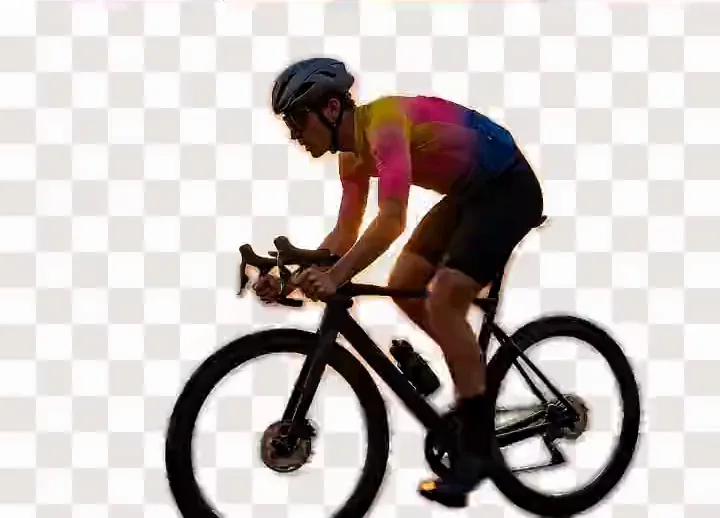



Drag to compare: the original on the left, the background removed on the right, shown against a transparency checkerboard.
Background
12bit
ProRes 4444 alpha
8bit
WebM VP9 alpha
1bit
GIF transparency
0
Alpha formats Canva writes
WebM
Our export
What a Transparent Background Video Is
A transparent background video is a clip whose pixels carry an opacity value alongside their colour, so the subject sits over other footage with nothing behind it. The alpha channel stores how opaque each pixel is, and its bit depth decides how smoothly hair blends into a new scene.
Transparency belongs to the file, not the picture: a clip that looks background-free may have black baked in, and most containers cannot store alpha.
Which Formats Carry an Alpha Channel
Sizes are relative, not measured; timings are in WebM vs MOV for transparent video.
| Format | Alpha channel | Opens in |
|---|---|---|
| WebM (VP9, Matroska) | 8-bit, smallest | Chrome, Edge, Firefox, Resolve |
| MOV (Apple ProRes 4444) | 12-bit, very large | Premiere, After Effects, Final Cut |
| MOV (QuickTime Animation, RLE) | 8-bit, lossless, largest | The same, plus Resolve |
| PNG sequence | 8-bit, no audio, very large | Every editor |
| Animated GIF (LZW) | 1-bit index, 256 colours | Browsers, social, messaging |
| Lottie (JSON, Bodymovin) | Vector, tiny | A player, not an editor |
A PNG sequence is the safest interchange, refused by nothing. GIF transparency is one bit — fully on or fully off — which is why a GIF cutout has an aliased edge.
Which Editors and Browsers Read Them
| Reads | MOV alpha | WebM alpha |
|---|---|---|
| Premiere Pro, After Effects | ✓ | Varies by version |
| Final Cut Pro | ProRes 4444 | ✗ |
| DaVinci Resolve | ✓ | Most tolerant |
| CapCut, phone editors (chroma key instead) | ✗ | ✗ |
| Chrome, Edge, Firefox | ✗ | Plays it inline |
| Safari | HEVC with alpha | ✗ |
Canva and Adobe Express Cannot Export a Transparent Video
Canva, Adobe Express
- Remove the background, clean preview
- A solid colour behind the subject
- Canva Pro required
- Express Premium, $9.99/mo
- You find out on the timeline
bgremover.ai
- Remove it free, no signup
- Export a clean green screen
- Key it in your editor
- Your editor writes the alpha — ProRes 4444 or PNG
Both rank near the top of this search. Check the export format before committing.
Why a Transparent Video Looks Black
QuickTime Player composites alpha over opaque black rather than the checkerboard editors use, because it plays files rather than compositing them. Black on a timeline too means the export never contained alpha.
What This Tool Exports Today
Native alpha export is not available here. The export is MP4 (WebM in browsers that cannot write MP4), carrying either a replacement background or a clean green screen you key yourself. Keying gives a real alpha channel plus tolerance, feather and despill, which the green screen remover covers.
Segmentation runs on our GPU servers, and the uploaded clip is not stored. The video background remover handles footage shot without a green screen.
Frequently Asked Questions
Why Does My Transparent Video Look Black?
QuickTime Player composites alpha over opaque black rather than showing a checkerboard, so a correct file still looks wrong. Open it on a Premiere Pro or DaVinci Resolve timeline instead.
Can Canva Export a Transparent Video?
No. Canva removes a video background but composites a solid colour behind the subject, and its remover needs Canva Pro. Adobe Express does the same behind Premium, $9.99 a month.
What Is the Best Format for Transparent Video?
For an editor, MOV with ProRes 4444: widely read, high bit depth, very large files. For the web, WebM with VP9 alpha plus an HEVC copy for Safari. Otherwise a PNG sequence.
Does This Tool Export a Video With an Alpha Channel?
No. The output is MP4 (or WebM) with either a replacement background or a green screen composited in. For transparency, export the green screen version and key it in an editor that writes ProRes 4444.
Can a Browser Play a Video With a Transparent Background?
Yes, with WebM using VP9 alpha in an HTML5 video element. Chrome, Edge and Firefox render the transparency, so whatever sits behind the element shows through. Safari reads HEVC with alpha instead.
Is a PNG Sequence Better Than WebM With Alpha?
A PNG sequence is lossless, carries 8-bit alpha and every editor imports it, which makes it the safest interchange. It is far larger and holds no audio, and Adobe reads WebM inconsistently.
Can a GIF Have a Transparent Background?
Only in one bit. GIF marks a single palette entry as transparent, so each pixel is fully visible or fully invisible and edges come out aliased. Video alpha stores 256 opacity levels.
How Do I Get a Transparent Video From Green Screen Footage?
Export the clip with its green screen intact, then key it in Premiere Pro, After Effects or DaVinci Resolve and render to ProRes 4444, QuickTime Animation or a PNG sequence.
Remove a Background Now
Try it without signing up. Your file is processed on our GPU servers and never stored.